
In FIRST Robotics, understanding how well other teams are doing at competition is critical for strategizing among top performing teams. As the team I was mentoring improved over the years, it became clear that we could benefit from having detailed statistics at our competitions. Gathering the data in real time proved to be more of a challenge than we anticipated. Students recording on their phones was unreliable due to limited battery life and data use, and we didn’t have the budget to give the students tablets. Paper was quick and easy to use, but it required multiple people to spend the entire competition manually entering the data, which was time-consuming and prone to errors. This led to the idea of automating the data collection process using a document scanner app. One student could take a photo of each paper and upload it to a Google Drive folder. The app would scan the folder for new images, download them, scrape the data, and dump it to a Google Sheet for further analysis.
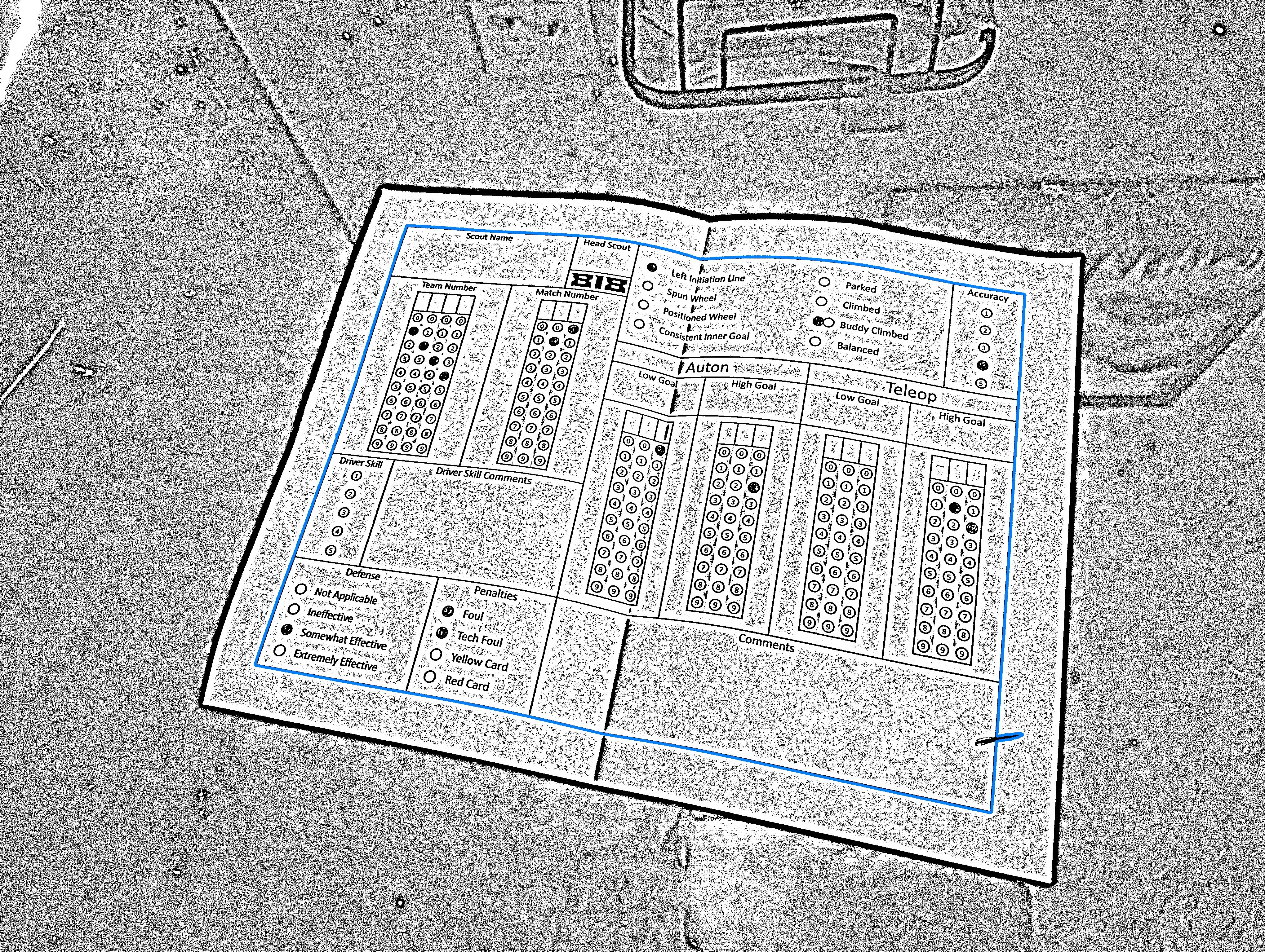
The first step in reading the paper is to find the paper. Initially I tried looking for the edges but this turned out to be too unreliable. Oftentimes there wasn’t enough contrast between the paper and the background, or a corner was cut off in the image. Instead, it was much more reliable to look for the black border around the data. So I turned up the contrast to make the black border stand out, looked for all the dark regions, and searched through them to figure out which one is the paper.
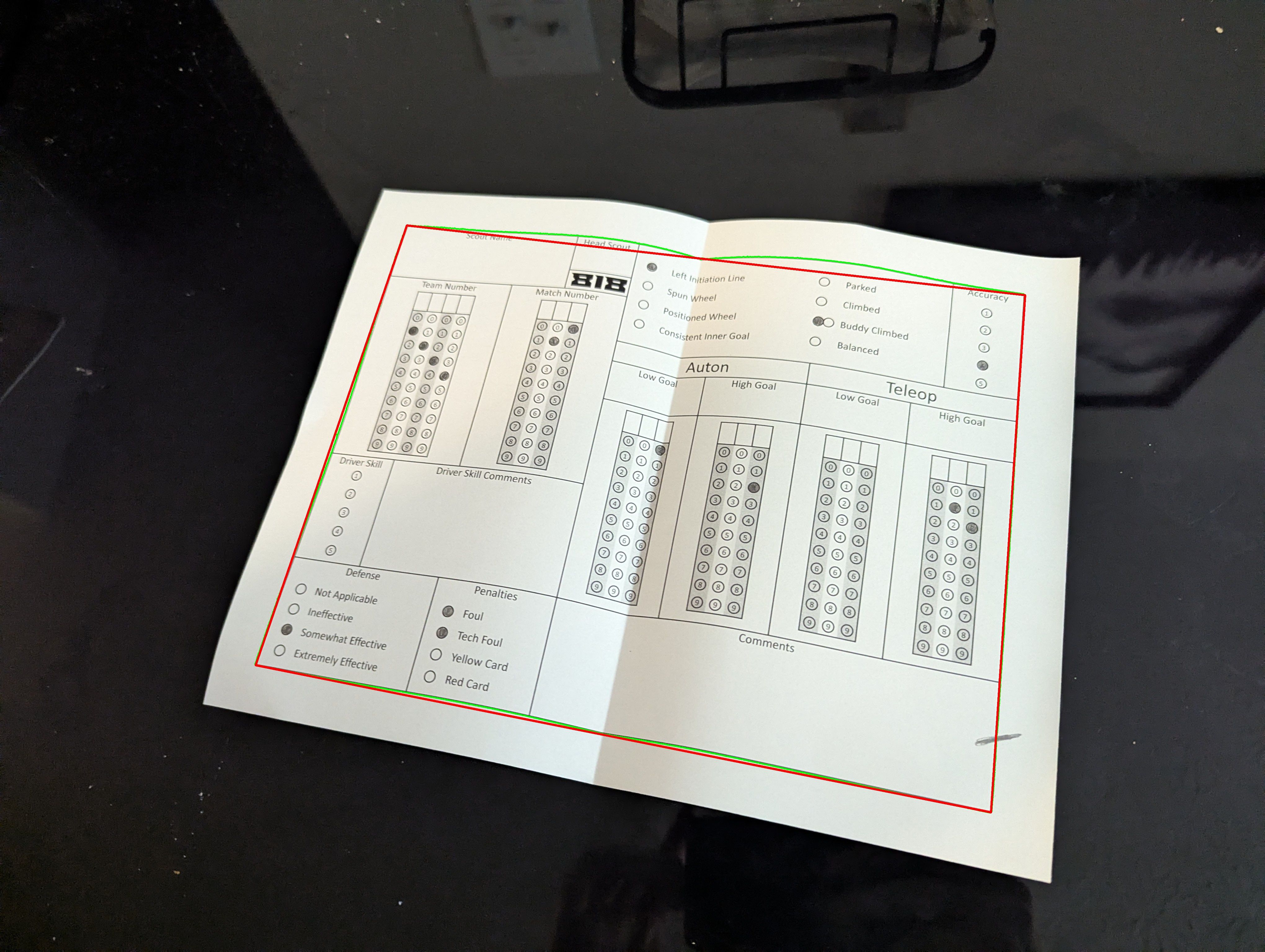
This region had one major problem - the pencil mark at the bottom right was included. This was a common enough issue that I had to develop an algorithm to detect and remove such protrusions.
Once the protrusions were removed, the app would count the edges. If there was any number other than four, it meant that region couldn’t be the correct one.
Having four edges didn’t guarantee that the region was the correct one though; I still needed one last check to confirm that it was indeed the paper. For this, I added the “818” insignia. It was part of the team’s branding so it didn’t look out of place and its distinct shape was a reliable way to confirm that the region was the correct one. If the insignia was detected in the expected spot, it meant that the region was indeed the paper.
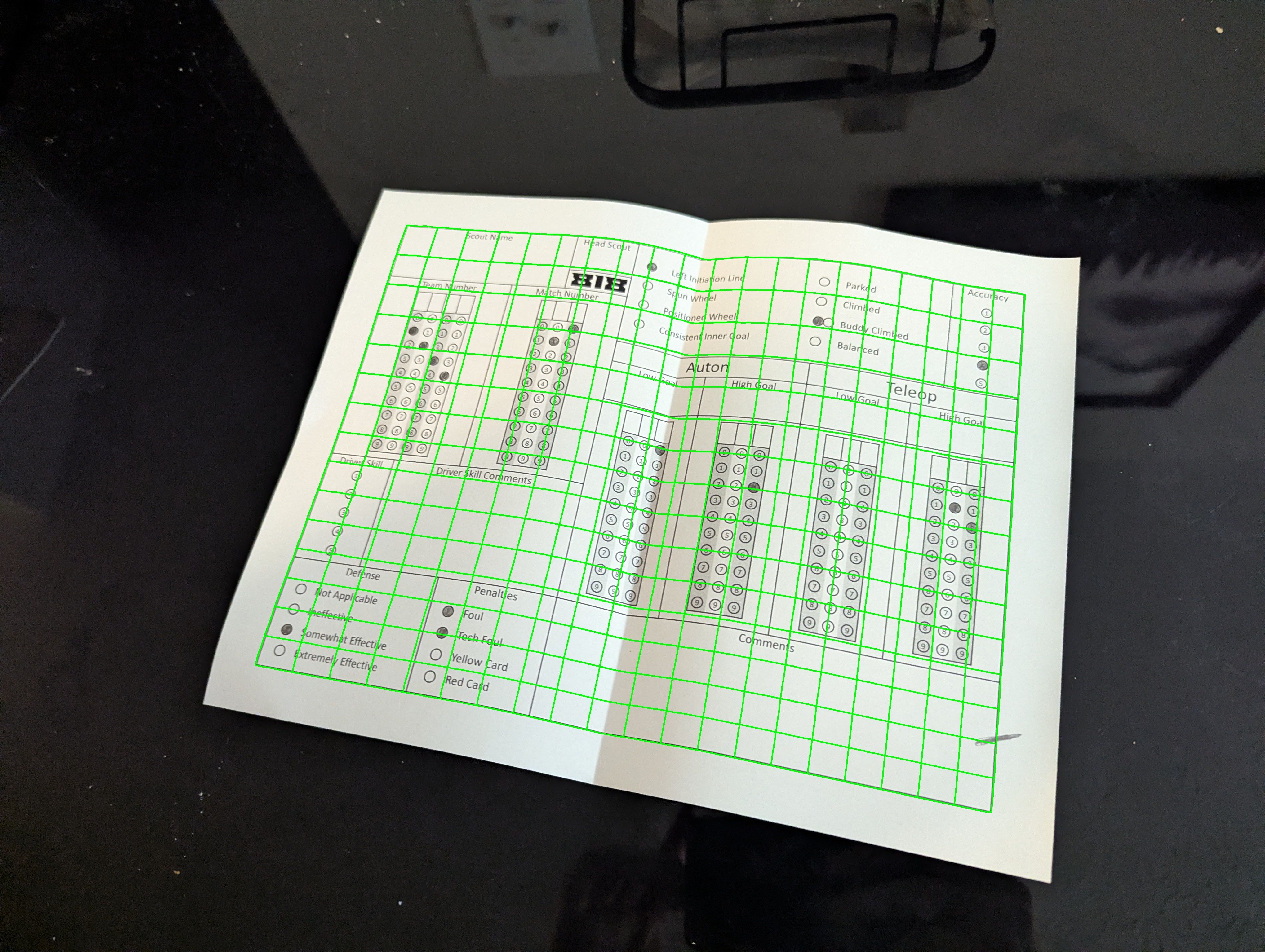
Even though the paper had been detected, it still wasn’t ready for data extraction. Perspective distortion was easy enough to correct because OpenCV already provides functions for this. The difficult part was dealing with curves and folds in the paper which could distort different areas of the paper unequally. I tried putting a sheet of lexan over the page to hold it flat but it created too much glare. Instead, I developed an algorithm to digitally flatten the paper by estimating the distortions and compensating for them.
The full pipeline was the following:
- Increase contrast to highlight the black border.
- Detect all dark regions and pick one.
- Remove protrusions from the selected region.
- Count edges and ensure the region has exactly four sides.
- Verify the presence of the “818” insignia to confirm the paper.
- If the region failed any of the previous checks, discard it and go back to step 2.
- Digitally flatten the paper.
- Correct for perspective distortion.
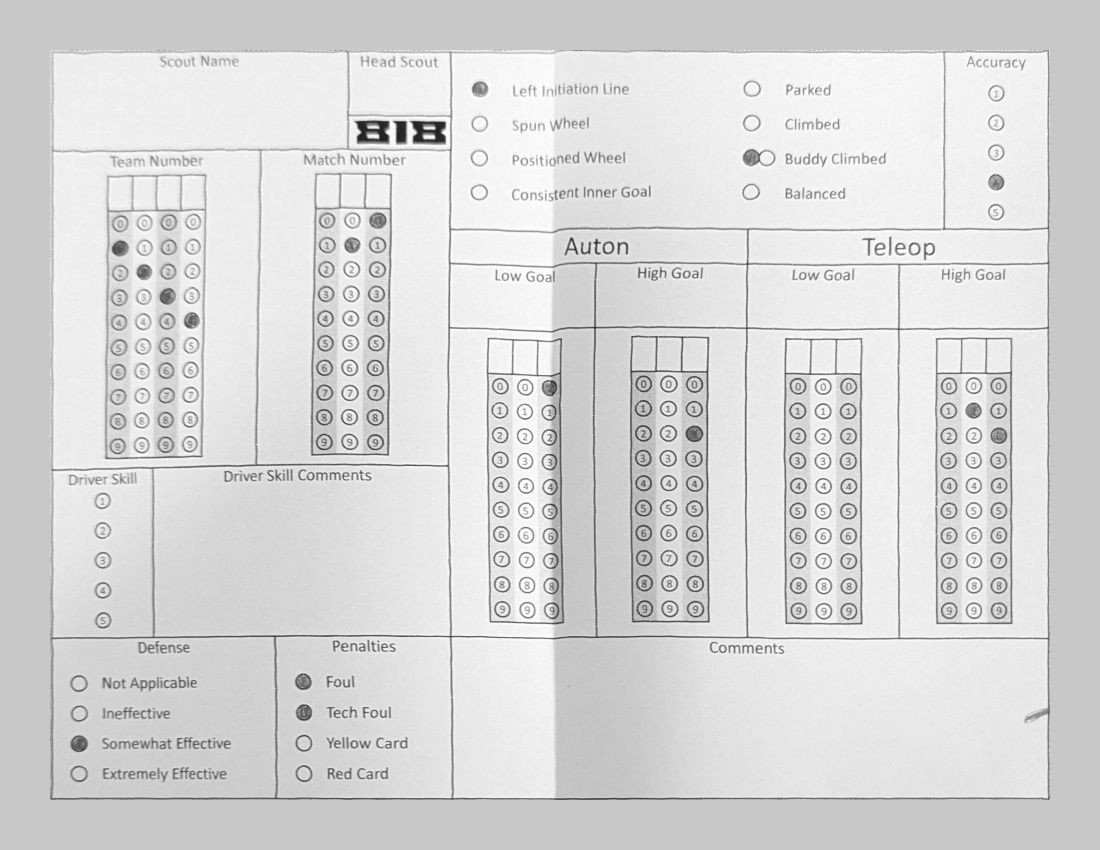
Now that the app could finally get a clean, flattened paper in which to read data, it needed data to read. Based on conversations with the other mentors we agreed upon the following types of input: True/False, 0/1/2 “double bubble,” two types of multiple choice, and numbers. I put all the information for the type, location, size, output, and database column of each input into a config file. This turned out to be a great idea as we ended up changing the layout many times each season, and having a config file meant I could update the app without having to modify code.
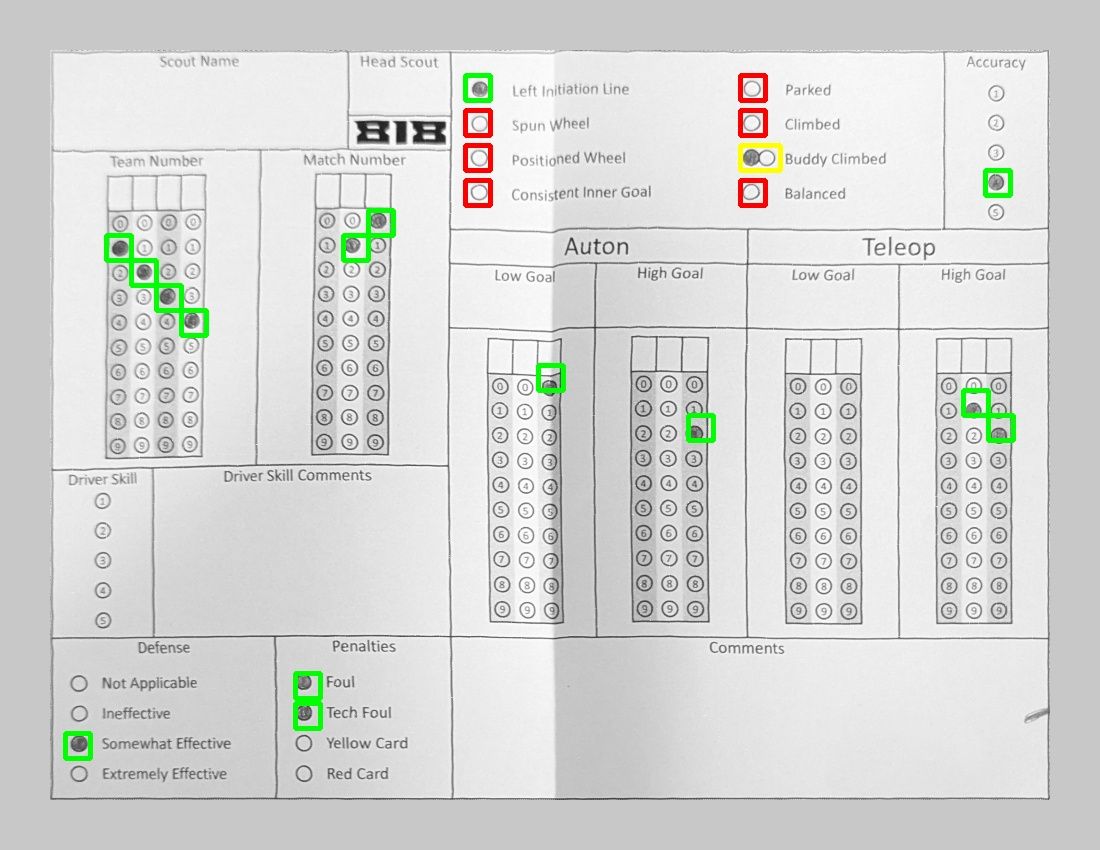
This program was a key tool in furthering the success of the team. There were many times where the team was able to make quick strategy decisions based on the data extracted from the scanned documents. After a few years of continued success, the team had grown enough that it could afford tablets for the students to use for data entry, and the app was shut down.